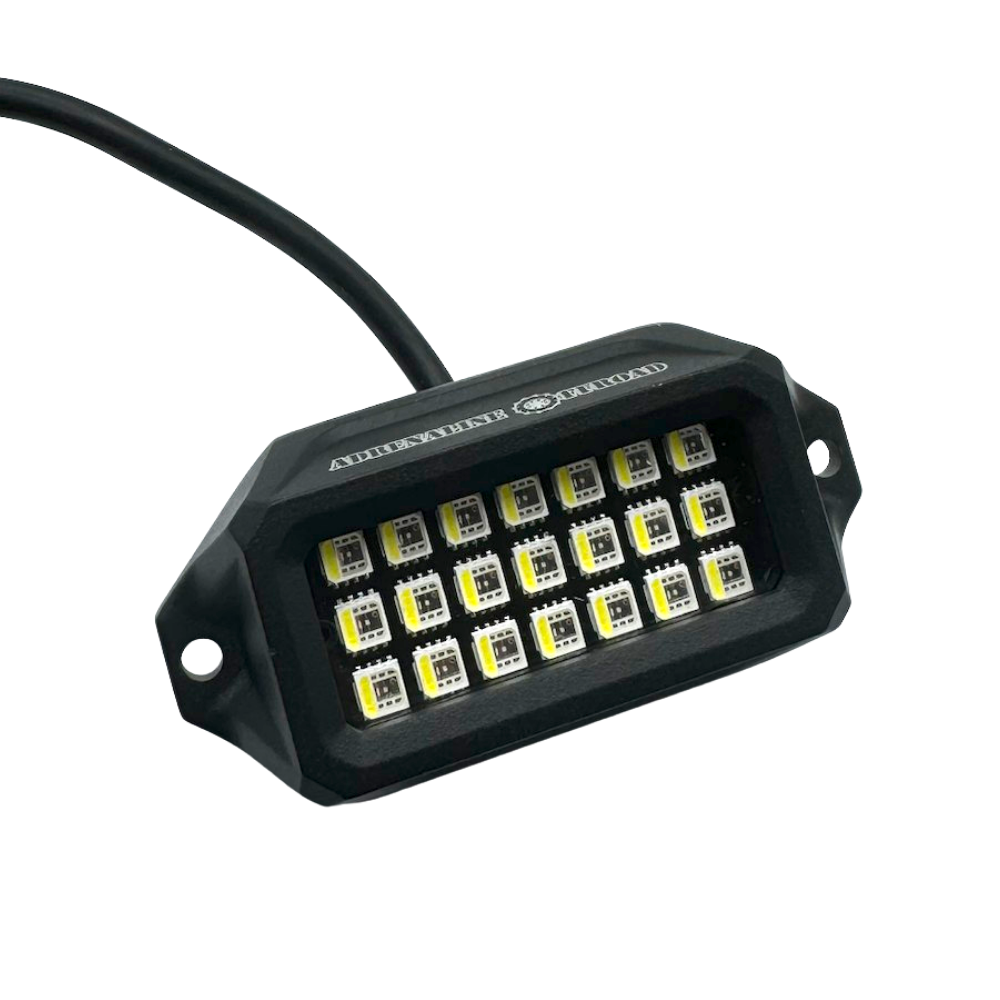

Why Are My Wheel Lights Flickering? Common Causes & Fixes
Wheel lights can completely change the look of a truck, especially at night. But when your LED wheel lights start flickering, dimming, or randomly changing brightness, it can quickly become frustrating.
The good news is that flickering wheel lights are often caused by something simple, such as a loose connection, unstable power, damaged wiring, or a controller issue.
In this guide, we'll cover the most common reasons wheel lights flicker and what you can do to fix them.
What Causes Wheel Lights to Flicker?
Flickering usually means the lights aren't receiving consistent power or communication from the controller. Common causes include:
- Loose power or ground connections
- Damaged or pinched wiring
- Poor connectors
- Voltage fluctuations
- Controller problems
- Incorrect wiring
- Water or moisture entering a connection
- Wiring that is too tight or poorly routed
Before replacing your wheel lights, it's worth checking these areas first.
1. Check the Power Connection
The first thing to check is the power supply.
If your wheel lights are turning on and off, flickering randomly, or becoming noticeably dimmer, inspect the connection between the lighting system and your vehicle's power source.
Look for:
- Loose battery connections
- Loose fuse connections
- Corroded terminals
- Damaged power wires
- Poor ground connections
A loose connection can interrupt power for a fraction of a second, which appears as flickering.
If your system includes a fuse or built-in controller, inspect those connections as well. For example, Adrenaline Offroad Outfitters' Premium RGB+W Wheel Lights include a control box with a built-in fuse and pre-wired components.
2. Inspect the Wheel Light Wiring
Wheel lights are installed close to wheels, suspension components, and other moving parts. That means wiring needs to be routed carefully.
Check the wiring around each wheel for:
- Pinched wires
- Cuts or exposed sections
- Melted insulation
- Excessive tension
- Wires rubbing against metal
- Connections pulled apart during suspension movement
Pay particular attention to areas where the suspension moves or where the wheel turns.
If you recently installed the lights and the flickering started afterward, incorrect or overly tight wiring should be one of the first things you check.
For longer vehicles or lifted trucks, wheel light extension wires can also help provide additional wiring length instead of stretching the original leads. Adrenaline Offroad Outfitters offers extension wires specifically for situations where the standard wiring isn't long enough.
3. Check Every Connector
A connector that looks connected doesn't necessarily mean it has a reliable electrical connection.
Disconnect the affected connection and inspect it for:
- Dirt
- Water
- Corrosion
- Bent pins
- Loose terminals
- Damaged connector housing
Reconnect everything firmly and make sure the connection is properly secured.
This is especially important on wheel lights because the wiring is exposed to road debris, moisture, dirt, and vibration.
If you're installing a new system, using the correct wheel light installation accessories can make it easier to secure and route the wiring properly.
4. Check for Moisture or Water Damage
Water is another possible cause of flickering.
Quality wheel lights are designed to handle exposure to the elements, but that doesn't mean every connection or wiring point should be left exposed.
For example, Adrenaline Offroad Outfitters' Premium RGB+W Wheel Lights are listed with an IP68 waterproof rating and use waterproof connectors.
If only one wheel is flickering, inspect that wheel's connectors and wiring first.
Look for:
- Water inside connectors
- Corrosion
- Moisture around terminals
- Damaged waterproof seals
If you find moisture, don't simply reconnect everything while it's wet. Disconnect the power and inspect the affected components carefully.
5. Your Controller Could Be the Problem
If all four wheel lights are flickering at the same time, the problem may not be with the individual LED rings.
Instead, check the controller.
A controller can cause problems if:
- Its power connection is loose
- The controller is damaged
- Connections aren't fully seated
- The system is receiving inconsistent power
- The controller isn't compatible with the lighting setup
RGB and RGB+W systems can have more control functions than simple single-color lights, so troubleshooting should include the controller and its connections.
For systems using an app or remote control, try reconnecting the controller and testing the lights using the available control method.
6. Check Whether Only One Wheel Is Flickering
This is one of the easiest ways to narrow down the problem.
If only one wheel flickers:
The problem is more likely to be:
- That wheel's wiring
- Its connector
- The LED ring
- A local mounting or wiring issue
If all four wheels flicker:
The problem is more likely to involve:
- Power supply
- Ground
- Fuse
- Controller
- Main wiring harness
This simple test can save you a lot of time.
7. Check the Ground Connection
A poor ground can cause inconsistent LED performance.
Inspect the ground connection and make sure it is:
- Secure
- Clean
- Free from corrosion
- Properly attached to the intended grounding point
If the ground connection is loose, the lights may flicker or behave inconsistently.
Never assume the ground is fine just because the lights turn on. A weak connection can still allow the lights to operate while causing intermittent problems.

8. Check Your Installation
Sometimes flickering isn't caused by a defective light at all.
It can happen because the installation wasn't secure enough.
Wheel lights need to be positioned so that wiring and components don't interfere with:
- Wheel rotation
- Brake components
- Suspension movement
- Steering components
- Tires
- Sharp metal edges
- Hot exhaust components
A poor installation can eventually damage wiring or loosen connections.
If you're installing a new system, check out the wheel light installation guide before starting and make sure every connection and wire is routed properly. Adrenaline Offroad Outfitters also provides installation resources for its wheel light systems.
9. Don't Ignore Vibration
Off-road trucks experience plenty of vibration.
Over time, vibration can loosen:
- Connectors
- Mounting hardware
- Ground points
- Wire clips
- Controller connections
This is why securing the wiring is just as important as connecting it.
Using proper wire holders and installation accessories can help keep wiring away from moving components and reduce unnecessary movement.
How to Fix Flickering Wheel Lights
Before replacing your entire lighting system, go through this checklist:
Step 1: Turn the lighting system off.
Step 2: Inspect the battery and main power connections.
Step 3: Check the fuse and controller.
Step 4: Inspect the ground connection.
Step 5: Check every connector around each wheel.
Step 6: Look for damaged, pinched, or stretched wires.
Step 7: Check for moisture or corrosion.
Step 8: Make sure wiring isn't touching moving or hot components.
Step 9: Test each wheel individually if possible.
Step 10: If the problem continues, contact the manufacturer or installer for further troubleshooting.
How to Prevent Wheel Lights From Flickering
The best way to deal with flickering is to prevent the problem during installation.
A few simple habits can make a big difference:
- Secure wiring properly.
- Keep wires away from moving suspension components.
- Avoid sharp edges and hot surfaces.
- Don't stretch wiring between components.
- Protect exposed connections.
- Check connectors periodically.
- Inspect wiring after serious off-road use.
- Use compatible extension wires when additional length is needed.
- Keep controllers and connections properly protected.
Adrenaline Offroad Outfitters also recommends proper installation and offers accessories such as extension wires, mounting kits, and magnetic wire holders for wheel-light installations.
Are Adrenaline Offroad Outfitters Wheel Lights Less Likely to Flicker?
No wheel-light system is completely immune to installation or electrical problems. Flickering can still happen because of wiring, connections, power supply, or vehicle-specific issues.
However, choosing a properly designed system with sealed components, appropriate wiring, and secure connectors can reduce potential problems.
For example, the Premium RGB+W Wheel Lights from Adrenaline Offroad Outfitters include waterproof connectors, a fused control box, aluminum mounting brackets, and multiple control options.
If you're looking for a complete setup, you can also explore the Wheel Lights for Trucks & Cars collection to compare available systems and accessories.
Final Thoughts
If your wheel lights are flickering, don't immediately assume the LEDs are bad.
Start with the basics: power, ground, connectors, wiring, controller, and moisture. In many cases, the problem can be traced to a loose connection or damaged wiring.
For a new installation, take your time routing and securing the wiring. A clean installation not only looks better but can also help your wheel lights perform reliably for longer.
With the right setup and regular checks, your Adrenaline Offroad Outfitters wheel lights can keep your truck looking sharp without the annoying flicker.
Frequently Asked Questions
Why are my LED wheel lights flickering?
The most common causes are loose connections, unstable power, damaged wiring, poor grounding, controller problems, or moisture around connectors.
Why is only one wheel light flickering?
If only one wheel is flickering, inspect that wheel's wiring, connectors, LED ring, and mounting first. A localized wiring or connection issue is more likely.
Can a bad ground cause wheel lights to flicker?
Yes. A loose or corroded ground connection can cause inconsistent power and intermittent LED operation.
Can water make wheel lights flicker?
Yes. Water or corrosion around electrical connections can interfere with consistent power. Inspect connectors carefully if flickering starts after rain, washing, or off-road driving.
Should I replace my wheel lights if they flicker?
Not necessarily. Check the power supply, fuse, controller, connectors, ground, and wiring before replacing the lights. If the issue remains after troubleshooting, contact the manufacturer or installer.
How can I prevent wheel lights from flickering?
Use secure connections, protect wiring from moisture, keep wires away from moving and hot components, and regularly inspect the installation for damage or loose connections.